5 HTML Tags You Might Know For The First Time

Rukshanda Mahmood
28 August 2026
Hello there! you must have enjoyed reading my previous blog on HTML tags. This time, I bring you another 5 underrated HTML tags you wish you had known before.
So, let’s come to the point.
1:- <address>
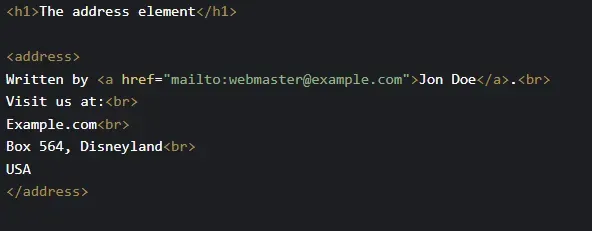
<address> HTML tag allows you to make contact information distinct from the other web page text. As a result, your browser renders the text in italic and adds a line break before and after the <address> element.
The information you add in <address> HTML tag can be an email address, URL, physical address, phone number, social media handle, etc.
To understand more clearly here is an example:-
2:- <map> and <area>
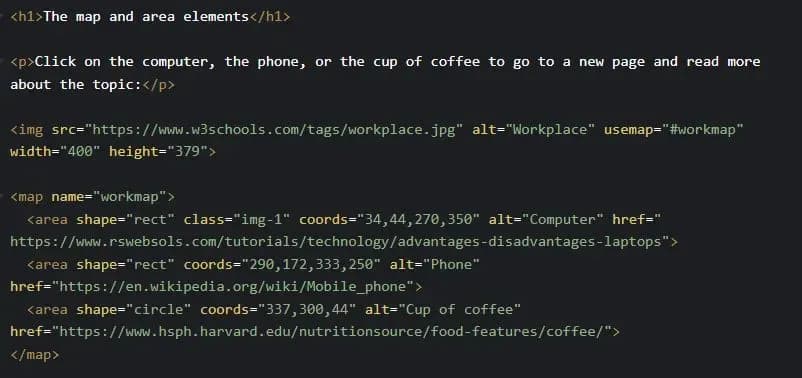
This is the most excellent HTML tag. It allows you to find out detailed information about a specific image just by clicking on it. This data can be in the form of text or video.
<map>
Use <map> HTML tag to add the required information of a specific clickable image. To connect the <img> and <map> tags, use usemap attribute in <img> tag which is linked with name attribute of <map>tag.
<area>
The <map> tag contains several <area>elements that store the information of a clickable image in the<map> tag.
Here is an example to understand better
3:- <picture>
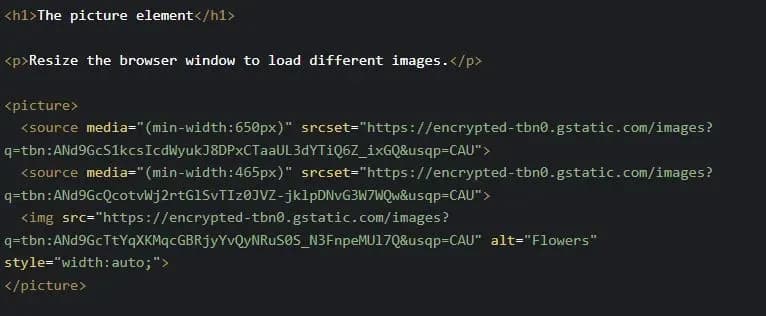
The <picture> HTML tag gives you flexibility in specifying image resources. This tag is used in responsive designs. As it allows you to use multiple images of different sizes to nicely fill the browser viewport, so you don’t need to use one image that is scaled up or down based on the viewport width.
The <picture> element contains two tags: one or more <source> tags and one <img> tag.
4:- <dialog>
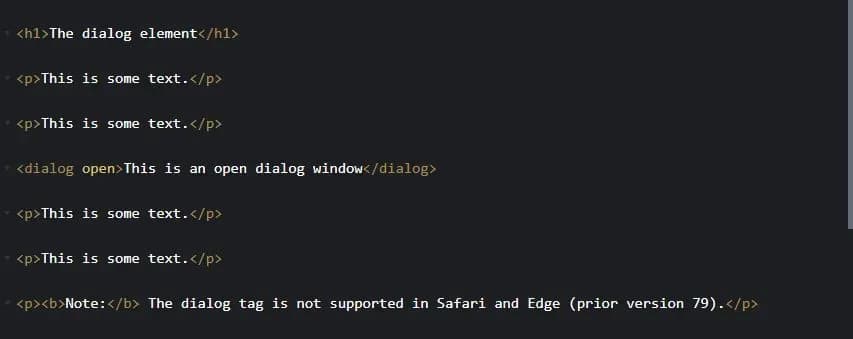
Want to create popup dialogs and modals on a webpage, then here is the <dialog> HTML tag that will help you.
Here is the demo:
5:- <template>
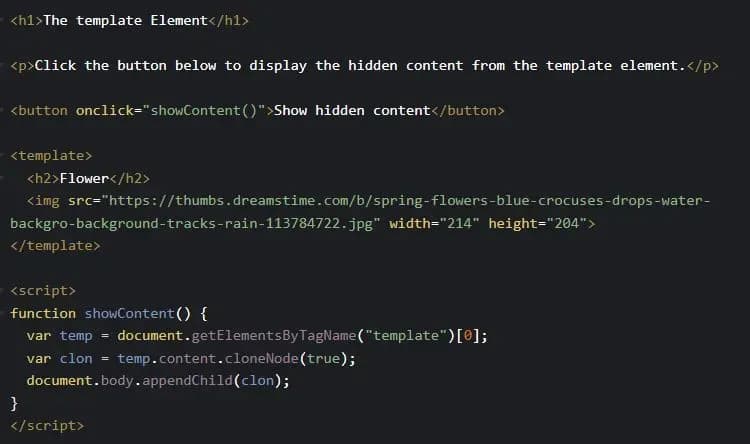
The <template> HTML tag is a container which holds data that is hidden from the user. This hidden data can be displayed by Javascript.
Here is an example:
Final Thoughts
As I pointed out above all these HTML tags are unpopular. Not every developer is familiar with these handy tags.
I hope you have learned something from this article. Thanks for reading.
The Programmer’s Paradox
Ever feel your brain turn to digital mush after hours of coding?
Me too! But that’s when I discovered the surprising remedy: diving into self-improvement and mental growth blogs. Turns out, breaking the code on my well-being unlocks new levels of coding prowess.
Let's connect! If you found these HTML tags helpful or relate to the struggles of the code caves, there's plenty more where that came from. Head over to my Medium profile and hit follow to join me on this coding and self-growth journey: https://medium.com/@rukshandanadir/5-unpopular-html-tags-you-might-know-for-the-first-time-1f792544617a